


About Pattern Recognition Test
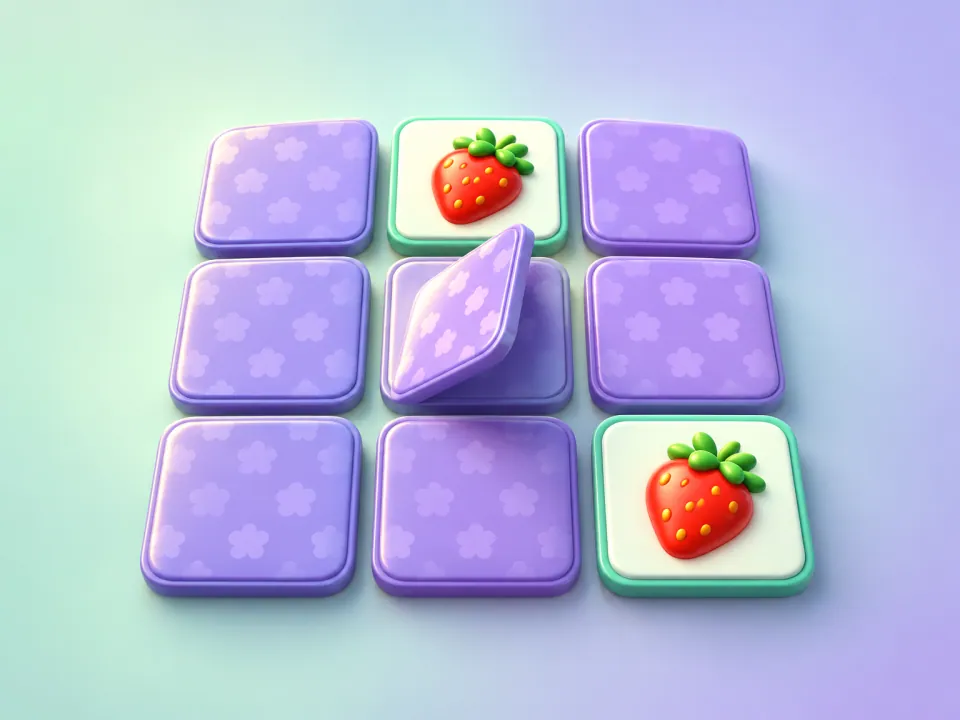
Pattern Recognition is a free online visual memory test that asks one simple question: how many tiles can you remember at a glance? A handful of squares light up on the grid for about a second, then flip back. Tap the same squares from memory to clear the level.
Every level adds another tile to remember, and every few levels the grid itself grows — from 3×3 to 4×4 at level 4, 5×5 at level 8 and larger still — so the patterns get richer and harder to hold in your head. You have three lives, and three wrong taps in a level costs one.
It's a quick, satisfying pattern memory game that's easy to learn and genuinely hard to master. Your highest level is saved as your personal best and posted to the global leaderboard.
How to play Pattern Recognition
- 1
Watch the pattern
Press Play. After a short "Level 1" banner, three tiles on a 3×3 grid glow for about one second. Take a mental snapshot of where they are.
- 2
Recall the tiles
When the tiles flip back, tap every one that was lit. The order doesn't matter. Correct tiles light up again with a rising chime, so you can see your progress.
- 3
Avoid wrong taps
A wrong tile flips red with a buzz. You can afford two mistakes per level — the third costs a life. The missed tiles are then revealed and you replay the level with a fresh pattern.
- 4
Climb the levels
Find all the lit tiles to advance. Each level adds a tile, and the grid grows at levels 4, 8, 12 and so on. The game ends when you run out of your three lives.
Controls
| Input | Action |
|---|---|
| Click / tap | Select a tile |
| Arrow keys | Move the tile cursor |
| Enter or Space | Select the tile under the cursor |
| P or Esc | Pause — a pattern interrupted mid-display is shown again |
Advertisement
Pattern Recognition tips and strategy
See shapes, not squares
Don't memorize tiles one by one. Look for the overall shape the lit tiles make — an L, a diagonal, a zigzag, a cluster in one corner. One shape is far easier to remember than six separate positions.
Chunk the grid
On bigger grids, split the pattern into two or three small groups, such as "top-left pair" and "bottom-row trio". Grouping, or chunking, is one of the most reliable ways to stretch short-term memory.
Remember the gaps on busy levels
When most of a region lights up, it can be easier to remember which tiles didn't light. Use whichever picture — lit or dark — is simpler.
Tap the ones you're sure of first
Start with the tiles you're most confident about. Each correct tile lights up, which gives your memory anchors for the less certain ones.
Keep your eyes centered
Rest your gaze near the middle of the board while the pattern shows so you take in the whole grid at once. Darting your eyes around wastes precious viewing time.
Use your spare mistakes wisely
Two wrong taps per level are free. If you're torn between two tiles near the end of a level, it can be worth guessing — but stop guessing once you've used two.
What does a visual memory test measure?
This game exercises visuospatial short-term memory — your ability to hold the positions of objects in mind for a few seconds. It's the same kind of memory you use to remember where you put your keys on a cluttered table or to picture a route you just glanced at on a map.
Researchers have long studied this skill with tasks such as the Corsi block-tapping test, where people repeat a sequence of blocks tapped by the examiner. Our game is a quick, playful take on the same idea: instead of a sequence, you remember a whole pattern at once, and the difficulty climbs steadily as you improve.
Levels, grids and scoring
- Tiles to remember: level + 2 (three tiles at level 1, ten at level 8, and so on).
- Grid size: 3×3 for levels 1–3, 4×4 for levels 4–7, 5×5 for levels 8–11, 6×6 from level 12, growing up to 9×9.
- Mistakes: three wrong taps in a level lose one of your three lives, and you retry that level with a new pattern.
- Score: the highest level you reach. Your personal best is saved on your device and your result is submitted to the leaderboard.
- Picking up later: your game is saved after every level, so if you close or reload the page you can continue from the same level with the same lives (and a fresh pattern).
Most people find the first few levels comfortable and start to feel the strain once patterns reach eight to ten tiles. Reaching the 6×6 grid is a strong result.
Train more of your memory
Pattern Recognition tests memory for where things are. To work on memory for order, try Simon Says; to stretch your working memory for numbers, take the Number Memory test; and for a classic card-flipping challenge, play Memory Match. Find them all in our memory games collection.
Frequently asked questions
What is a good score on a visual memory test?
It depends on the test, but in this game most people clear the first several levels comfortably and begin to struggle once patterns reach eight to ten tiles. Getting to level 12 and the 6×6 grid is a strong result, and anything beyond that is excellent.
Does the order I tap the tiles matter?
No. You only need to find every tile that was lit, in any order. Correct tiles stay lit so you can keep track of which ones you've found.
What happens when I make a mistake?
A wrong tile turns red. You can make two mistakes per level without penalty. The third mistake costs a life, reveals the tiles you missed, and restarts the level with a brand-new pattern.
How long are the tiles shown?
About one second. On very large patterns in the late levels the display time is extended slightly so the game stays fair.
Can you improve your visual memory?
Most people improve at this kind of game with practice, largely by learning strategies such as seeing shapes and chunking the grid. Those strategies are useful anywhere you need to remember a layout at a glance.
Can I play with a keyboard?
Yes. Use the arrow keys to move the highlighted cursor around the grid and press Enter or Space to select a tile. Press P or Esc to pause.
Is Pattern Recognition free?
Yes. It's completely free, works in any modern browser on phones, tablets and computers, and needs no download or account.