


About Solitaire
Solitaire — also called Klondike Solitaire or Patience — is the classic one-player card game that millions of people learned on their first computer, and you can play it here as free solitaire online with no download, no sign-up and no time limit. Your goal is simple: move all 52 cards onto four foundation piles, sorted by suit from Ace to King.
What makes Klondike so absorbing is the mix of luck and judgment. The deal decides which cards are buried face down, but your choices decide whether you dig them out in time. Every move is a small puzzle: which column should you open first, when should you draw, and when is it better to hold a card back instead of sending it home?
Drag cards or just tap them, undo as often as you like, ask for a hint when you're stuck, and let auto-finish sweep the last cards home. Pick Draw 1 for a relaxed game or Draw 3 for the traditional challenge, and try the Daily deal: one guaranteed-winnable game that everyone plays each day.
How to play Solitaire
- 1
Know the layout
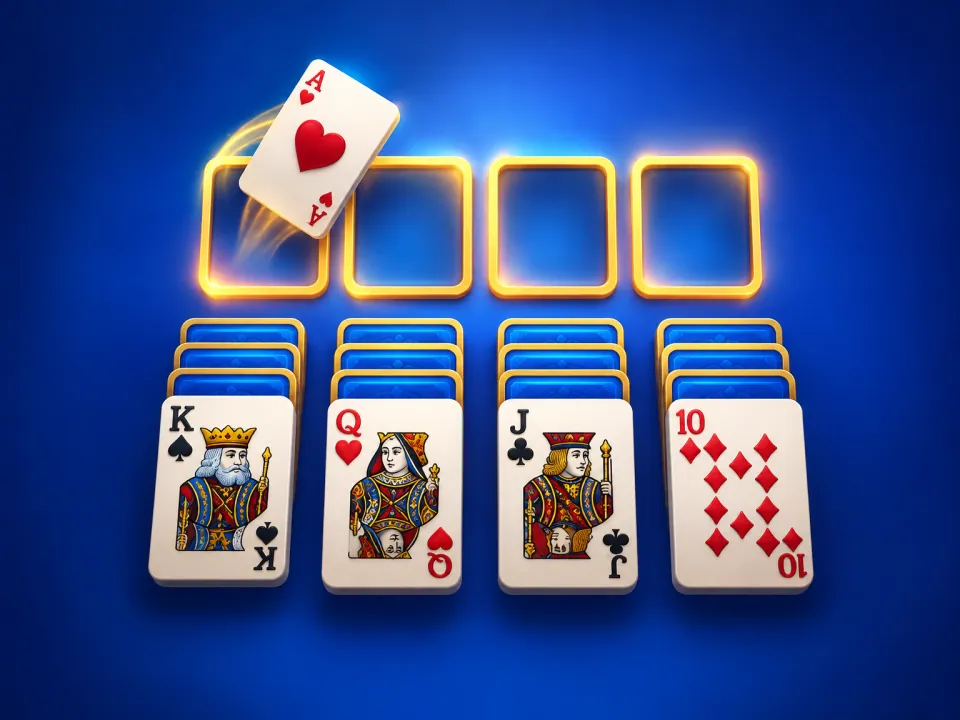
Seven tableau columns hold 28 cards, with only the top card of each column face up. The stock in the top-left corner holds the other 24 cards, and the four empty foundations on the right are where you build each suit from Ace to King.
- 2
Build down in alternating colors
On the tableau, place a card on another card one rank higher and of the opposite color — a black 9 on a red 10, then a red 8 on the black 9. You can move a whole face-up run at once, as long as it stays in sequence.
- 3
Uncover the hidden cards
Whenever you move the last face-up card off a column, the card underneath flips over automatically. Freeing those face-down cards is the heart of the game. When a column is empty, only a King (with any cards stacked on it) can move into the space.
- 4
Draw from the stock
Tap the stock to turn cards onto the waste pile. In Draw 1 you turn one card at a time; in Draw 3 you turn three but can only play the top one. When the stock is empty, tap it again to flip the waste back over — you can go through the deck as many times as you like.
- 5
Send cards home
Start each foundation with an Ace, then add the 2, 3 and so on of the same suit. Tap or double-click a card to send it up. Once every card is face up, the game offers to auto-finish and plays the rest for you.
Controls
| Input | Action |
|---|---|
| Drag / tap | Drag cards between piles, or tap a card to move it to the best spot |
| Double-click | Send a card straight to its foundation |
| Click the stock / D | Draw from the stock (turns the waste over when empty) |
| U, Z or Backspace | Undo the last move (unlimited) |
| H | Show a hint — press again for the next suggestion |
| A | Auto-finish once every card is face up |
| Arrow keys + Enter | Play by keyboard: move the cursor, pick up a card, drop it |
| F / Esc | Send the focused card home / cancel a selection |
Advertisement
Solitaire tips and strategy
Uncover the biggest columns first
The columns on the right hide the most face-down cards. When you have a choice between two moves, prefer the one that turns over a card in a longer column — that's where the cards you need are stuck.
Look at the tableau before you draw
Drawing is always available, so make every useful tableau move first. Moves between columns can reveal new cards, and those cards may be exactly what the waste card needs.
Don't rush cards to the foundations
Low cards like Aces and 2s should go up right away, but a mid-rank card can be more useful on the tableau, where it gives the next lower card of the opposite color a place to land. Send it home when nothing needs it any more.
Only empty a column when you have a King ready
An empty column is powerful but it can only take a King. Clearing one with no King to fill it just wastes the space, while moving a King across early can open the column that was holding it.
Choose which King fills a space
If a red and a black King both want the same empty column, think about the Queens you can see. Placing the King whose opposite-colored Queen is waiting lets you keep building straight away.
In Draw 3, count the cycle
Only every third card of the stock is playable on each pass. Playing one card from the waste shifts the whole sequence, so taking a card early can bring a different, more useful set of cards into reach on the next pass.
Draw 1, Draw 3 and the Daily deal
- Draw 1 turns one card at a time from the stock, so every card is always within reach. It's the friendliest way to play and the best mode for fast times.
- Draw 3 turns three cards at once, and only the top one can be played. It's the traditional rule set and wins take real planning.
- Daily deal is the same Draw 1 deal for every player that day. Before it's released, our solver plays the deal through to prove it can be won, so a loss is never the cards' fault. Finish it, compare your time on the daily leaderboard, and share your result — a new deal arrives at midnight. Find more daily games on the daily challenge page.
With Winnable deals only switched on in settings (it's on by default), every Draw 1 and Draw 3 game is also checked by the solver before you see it. Turn it off if you prefer truly random shuffles, where some games can't be won.
How scoring and the leaderboard work
The leaderboard ranks your time: the clock starts on your first move and stops when the last card reaches the foundations. It pauses automatically if you switch tabs, and your game is saved on your device, so you can close the page and carry on later. Undo is fine, but games where you asked for a hint aren't ranked.
You can also show the classic Windows-style score in settings. You earn 10 points for each card sent to a foundation, 5 for each waste card played to the tableau and 5 for every card turned face up. Moving a card back off a foundation costs 15, and each pass through the stock costs 100 in Draw 1 or 20 in Draw 3. Finish a game that took longer than 30 seconds and you also get a time bonus of 700,000 divided by your time in seconds.
A short history of Klondike
Patience games were being played in Europe by the late 1700s, and books of solitaire card games became popular during the 19th century. Klondike is widely believed to take its name from the Klondike region of Canada's Yukon, famous for the gold rush of the late 1890s, and it became one of the best-known patience games in North America in the early 20th century.
Its biggest boost came in 1990, when Microsoft shipped Solitaire with Windows 3.0. The game was a gentle way to get comfortable with dragging and dropping with a mouse, and for many people it became the solitaire. Today Klondike sits alongside Spider Solitaire, FreeCell and tile-matching Mahjong as one of the most popular card games to play online.
Frequently asked questions
Is this solitaire game free?
Yes. Solitaire on Free To Play Puzzles is completely free, with no download or account needed. It runs in any modern browser on phones, tablets and computers.
What is the difference between Klondike and Solitaire?
They are the same game. Klondike is the proper name of the classic patience game that most people simply call Solitaire, the version made famous by Windows. Other solitaire games, such as Spider and FreeCell, use different layouts and rules.
Is every game of solitaire winnable?
No. With a truly random shuffle, some deals cannot be won no matter how well you play. Our Daily deal is always proven winnable, and with Winnable deals only switched on, every Draw 1 and Draw 3 game is checked by our solver before you play.
Should I play Draw 1 or Draw 3?
Draw 1 is easier and faster because you can reach every card in the stock on each pass. Draw 3 is the traditional challenge: you can only play every third card, so it rewards planning and wins are rarer.
Can I undo moves and get hints?
Yes, both are unlimited. Press Undo (or U) to take back moves, and Hint (or H) to highlight a useful move; press Hint again to see the next suggestion. Undo never affects your ranking, but games won with a hint aren't ranked.
What happens if I run out of moves?
The game notices when no useful moves are left and offers to undo or start a new deal. You can also close the message and keep looking.
Will I lose my game if I close the page?
No. Your game, including your undo history and time, is saved on your device after every move, so you can pick up exactly where you left off.
Can I change the table and card design?
Yes. Open settings (the slider icon under the table) to pick a felt color and card back, or switch on four-color suits, which make diamonds blue and clubs green.