The Dark Side of Sharpness: Best Puzzle Apps with Dark Mode for 2025-2026
Discover the best dark mode puzzle apps to reduce eye strain and save battery. Learn why night mode brain games are the future of late-night mental training.
By Free To Play Puzzles Editorial Team 9 min read
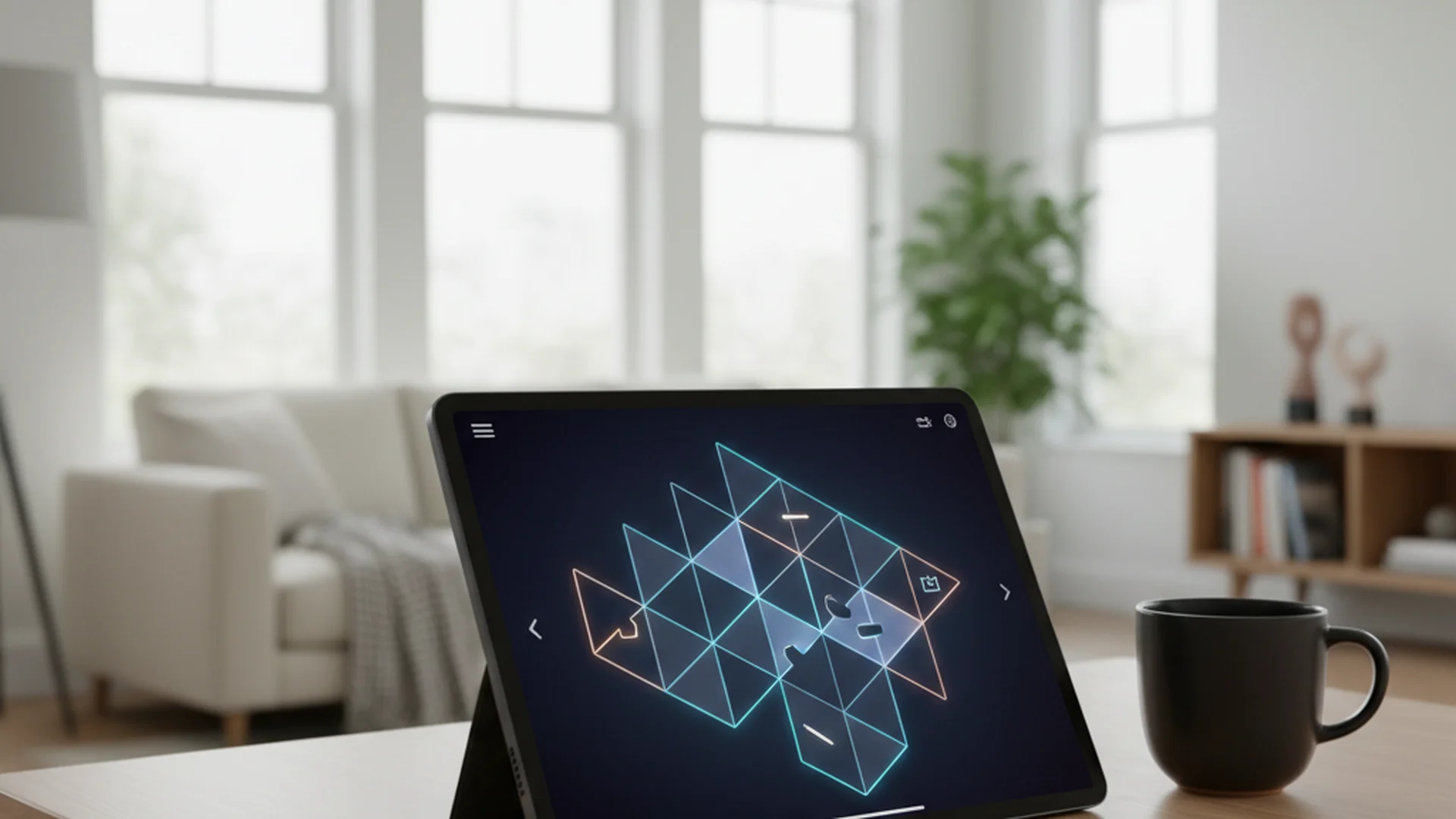
Want to sharpen your mind before bed without the "digital sun" of a white screen? We've tested the best dark mode puzzle apps that offer a true night-friendly experience, from Sudoku to high-level brain training platforms. Anyone who spends hours staring at grids will notice it: the shift toward dark mode isn't just an aesthetic trend—it is a cognitive necessity for the modern player.
The Science of Nighttime Brain Training
For years, the "blue light" emitted by our devices has been the enemy of a good night's sleep. Research shows that dark mode can reduce blue light emission by up to 70%, which directly helps mitigate the suppression of melatonin. When you engage with night mode brain games, you are essentially giving your brain a workout without the physiological wake-up call that a bright white UI provides.
Beyond sleep, there is the matter of battery efficiency. On devices with modern OLED or AMOLED screens, dark mode can reduce power consumption by 30% to 65%. This is because, in these displays, black pixels are essentially "turned off," consuming zero power. For those of us who get lost in a challenging crossword for an hour, this means more play time and less charging time.
Why Dark Mode Enhances Focus
Many users find that the high contrast of a dark theme helps the essential elements of a puzzle "pop." Whether you are looking for a specific number in a grid or a hidden word in a sea of letters, reducing visual clutter is key.
Dark mode can help minimize the "halation" effect—that fuzzy glow you sometimes see around black text on a white background. By flipping the script, the letters become crisp, glowing markers on a silent field. This is particularly useful for apps that require high levels of concentration, such as those found on our Logic Puzzles page.
Advertisement
Best Puzzle Apps with Dark Mode (2025-2026)
The landscape of puzzle gaming has changed. In 2025 and 2026, a simple "invert colors" button is no longer enough. The best apps now use "semantic coloring," where every icon and line is manually adjusted for the dark theme.
1. Elevate
Elevate has long been a leader in the brain training space, but their 2025 update took things further. The app now features a dedicated "Dark Mode" toggle in the settings that applies across its 40+ games. The colors are desaturated to ensure they don't "sting" the eyes in a dark room.
2. Lumosity
Lumosity recently updated its gameplay settings to allow for background color toggles. You can now switch between Light and Dark modes specifically within the active gameplay screen. This is a massive win for users who want a dark interface for the puzzle but might prefer a light interface for their progress charts.
3. Redstone Crosswords
Crossword fans have a soft spot for Redstone. They continue to lead the genre by offering a "Night Mode" specifically designed for comfortable reading of fine print. It avoids pure black, opting instead for a deep charcoal that makes the grid lines easy to see without being harsh. If you're a fan of these, you might also enjoy learning 10 Crossword Solving Strategies the Pros Use.
4. Tiny Games (2026 Update)
Tiny Games is a popular collection of offline logic puzzles that recently integrated a universal dark mode for its entire library. Their implementation of "Glassmorphism"—using translucent, blurred layers—creates a sense of depth that feels incredibly premium in the dark.
Designing the Perfect Dark Theme: Expert Recommendations
If you're a developer or just a curious gamer, it's important to know that not all dark modes are created equal. The industry has moved toward a set of "best practices" that separate the mediocre apps from the top-tier ones.
- Avoid "Pure Black": Using pure black (#000000) against white text can create a "vibration" effect that leads to blurred vision. Experts recommend a deep dark gray (#121212).
- Maintain Contrast Ratios: To ensure accessibility, apps should follow WCAG 2.1 guidelines, aiming for a contrast ratio of at least 4.5:1.
- Desaturate Colors: Bright neon colors that look great in a light theme can be blinding in the dark. Professional apps desaturate these colors to keep them "eye-friendly."
- System-Default Syncing: The best dark mode puzzle apps in 2026 automatically sync with your phone’s OS. When your iPhone or Android hits "Sunset" mode, the app should follow suit without you lifting a finger.
Common Mistakes and Misconceptions
It is a common misconception that dark mode is always better. This isn't strictly true, and understanding the nuances can help you protect your vision.
The "Halation" Mistake
Approximately 33% of the population has some form of astigmatism. For these individuals, light text on a dark background can appear to bleed or "glow." If you find that words seem blurry in dark mode, you might be experiencing halation. In this case, a "Dim" mode (dark gray) is much better than a "Lights Out" mode (true black).
The Lighting Context
Using dark mode in a brightly lit room or under direct sunlight can actually cause pupillary dilation. This reduces the sharpness of your vision, much like a camera with a wide-open aperture. Dark mode is designed for low-light environments; if you’re at the beach, stick to light mode!
| Feature | Dark Mode | Night Mode (Filter) |
|---|---|---|
| Primary Goal | Aesthetic & Contrast | Blue Light Reduction |
| Visuals | Dark background, light text | Warm/Orange tint over everything |
| Battery Saving | High (on OLED) | Negligible |
| Best Used | Low-light environments | 1-2 hours before sleep |
Advertisement
Recent Trends: The Future of "Darkness"
As we move through 2026, we are seeing a shift toward "Customizable Darkness." Apps like Twitter and Reddit pioneered this, but now puzzle apps are following. Instead of a simple On/Off switch, users can choose between:
- Dim: A soft, dark gray theme for evening use.
- Lights Out: A true black theme for maximum battery saving on OLED screens.
- Liquid Glass: A new design trend where dark modes use translucent layers to create a sophisticated, high-end feel.
These innovations make Best Puzzle Apps 2025 feel more like high-end software and less like simple time-wasters.
Frequently Asked Questions
Does dark mode actually reduce eye strain?
Yes, but primarily in low-light settings. It reduces the overall glare and brightness hitting your eyes. However, if you are in a bright room, the high contrast can actually make your eyes work harder to focus, potentially increasing strain.
What is the difference between Dark Mode and Night Mode?
Dark Mode is a color scheme (light text on a dark background). Night Mode (often called Night Shift or Blue Light Filter) is a software filter that shifts the color temperature of your entire screen to warmer, yellowish tones to reduce blue light.
Is dark mode better for concentration in puzzle games?
Many players find that dark mode reduces "visual noise." By dimming the background and UI elements, the actual puzzle—whether it's a Sudoku grid or a word search—becomes the focal point, which can lead to better flow states and faster solving times.
Conclusion
Switching to dark mode puzzle apps is one of the easiest ways to improve your digital well-being without giving up your favorite hobby. By reducing blue light and eye strain, you can keep your brain sharp and your sleep schedule intact. Whether you're a competitive cruciverbalist or a casual Sudoku fan, the "dark side" of gaming has never looked brighter.
For more insights into how technology is shaping our favorite games, dive into our article on AI in Puzzle Games.
Ready to Start?
Experience the best night-friendly puzzles today.
Put it into practice
Keep reading

Technology
The Best Offline Puzzle Apps for Airplane Mode: 2025 Travel Guide
Discover the top offline puzzle apps for your next flight. Learn how to save battery, avoid the "login trap," and keep your brain sharp without Wi-Fi.
May 24, 2026 12 min
Technology
Puzzle Apps for Kids: Safe and Educational Options for 2025-2026
Discover the best puzzle apps for kids. Explore safe, AI-powered, and educational children brain game apps that boost logic and cognitive development.
Oct 1, 2026 12 min
Technology
Best Puzzle Apps 2025: Top-Rated Brain Games and Hidden Gems
Discover the best puzzle apps 2025 has to offer. From AI-driven brain trainers to immersive indie mysteries, explore the top-rated games for your mobile device.
Sep 30, 2026 15 min
Advertisement